 DuoCanvas
Same moments.
New possibilities.
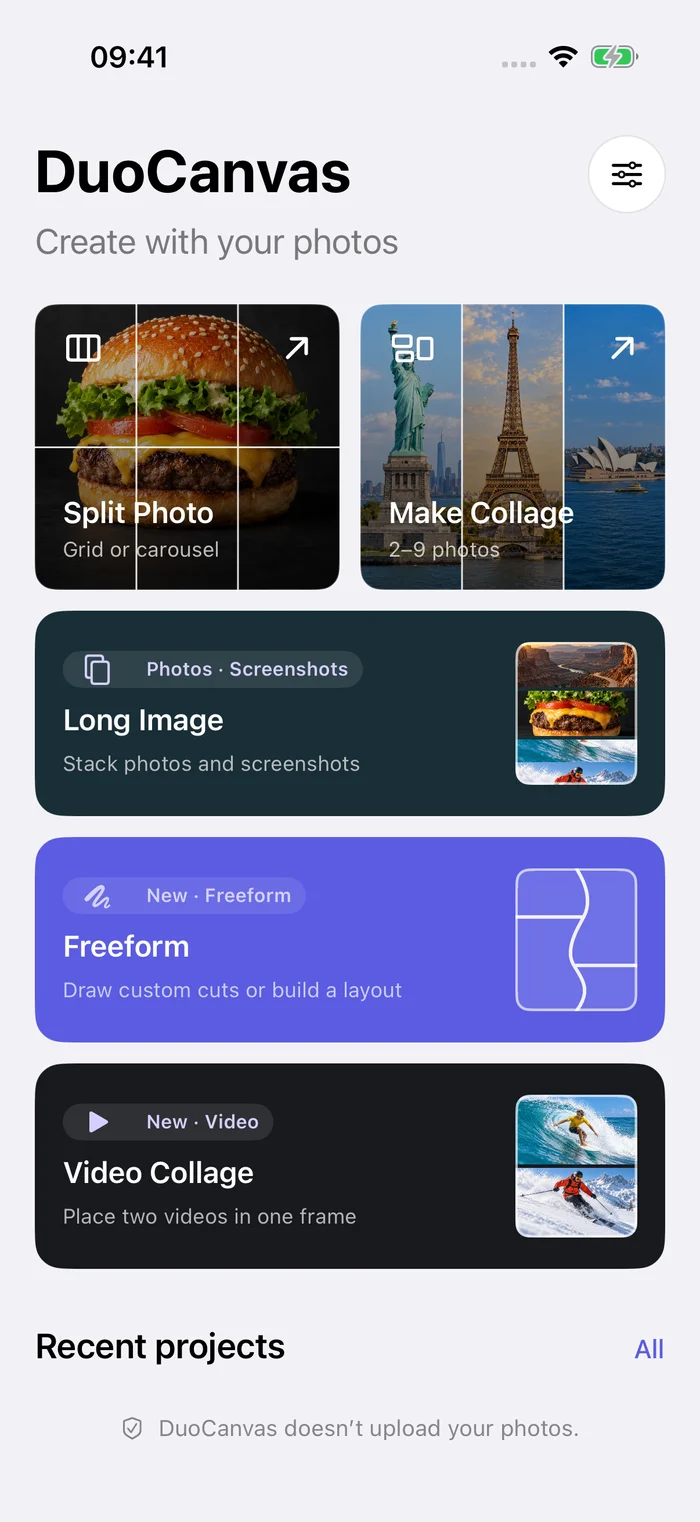
Split a photo. Find your collage. Stitch a longer story. Bring two videos together. Make room for your ideas.
Free to download · No account needed · iPhone / iOS 17+
WATCH DUOCANVAS IN ACTION
From a moment
to your creation.
See custom photo cuts, hand-drawn layouts, grids, photo collages, and two-video frames in a 29-second tour.
- Draw boundaries with your finger.
- Make every photo frame feel right.
- Bring two clips into one shared frame.
Click to play. No autoplay and no sound.
Read the video transcript
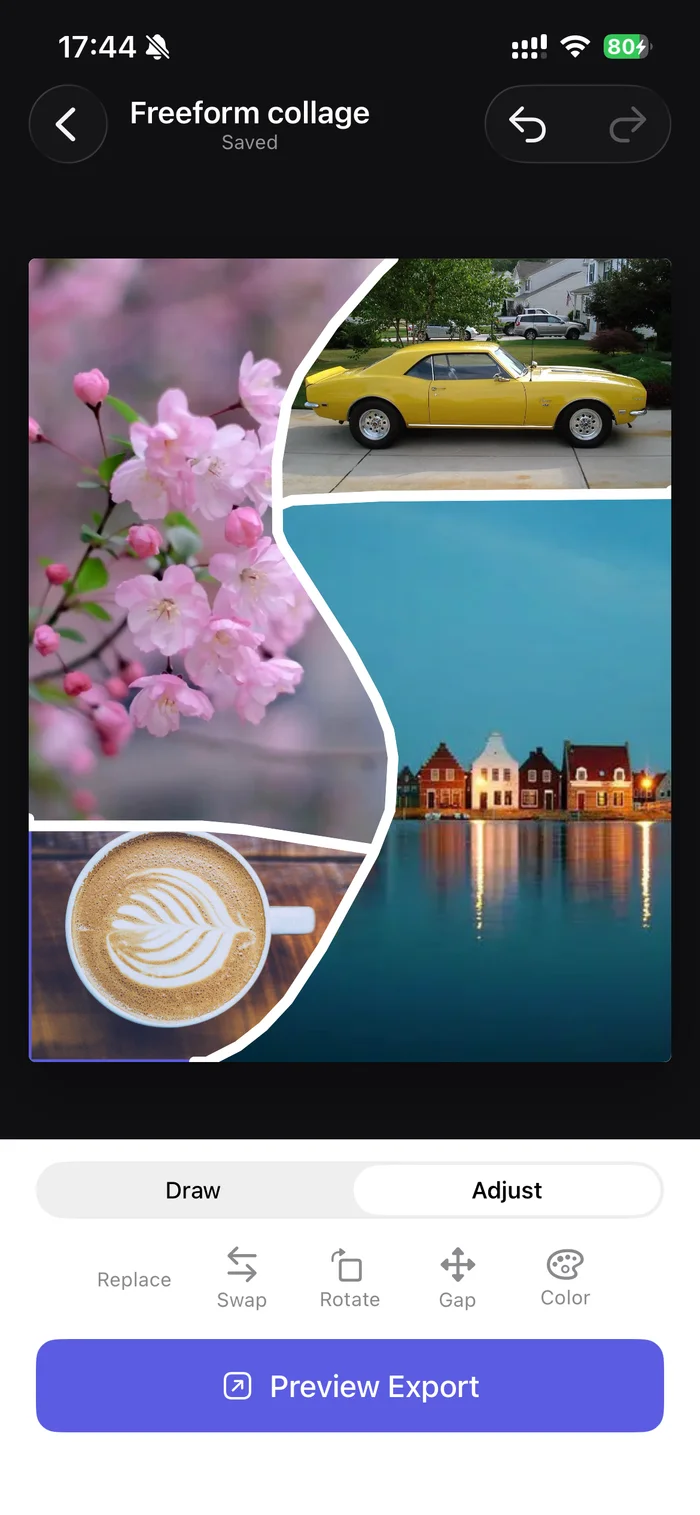
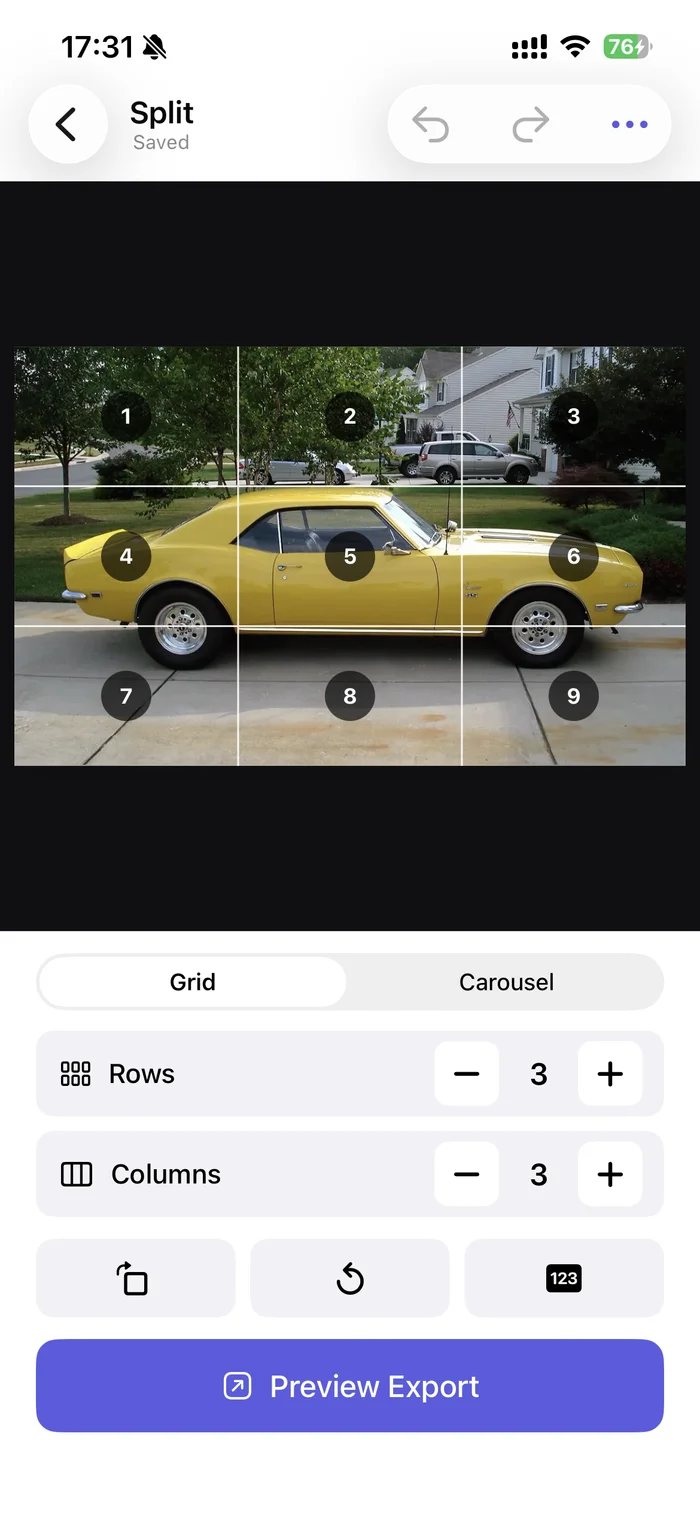
Draw from edge to edge Keep cutting to create more pieces. Sketch a boundary An S-shaped curve creates two regions. Fill the regions with photos Then drag a photo to adjust the framing. Your curve. Your composition. Ready to open Preview Export. Choose your rows and columns Watch the grid update as you tap. Drag to adjust the framing Keep the part of each photo you want. Swap photos between frames Move a photo to another position. Preview both clips together Both videos start at the same time. Ready for the next step Export video is available in the editor.
These are edited app recordings. Completed saving is not shown; some pauses and selection steps are omitted.
A TOOL FOR EVERY IDEA
Less ordinary.
More you.
Start with a moment you love.
Find a new way to put it together.
One photo. A bigger picture.
Turn a favorite photo into a connected grid. Choose your rows and columns, then export the tiles in order.
Let the story keep going.
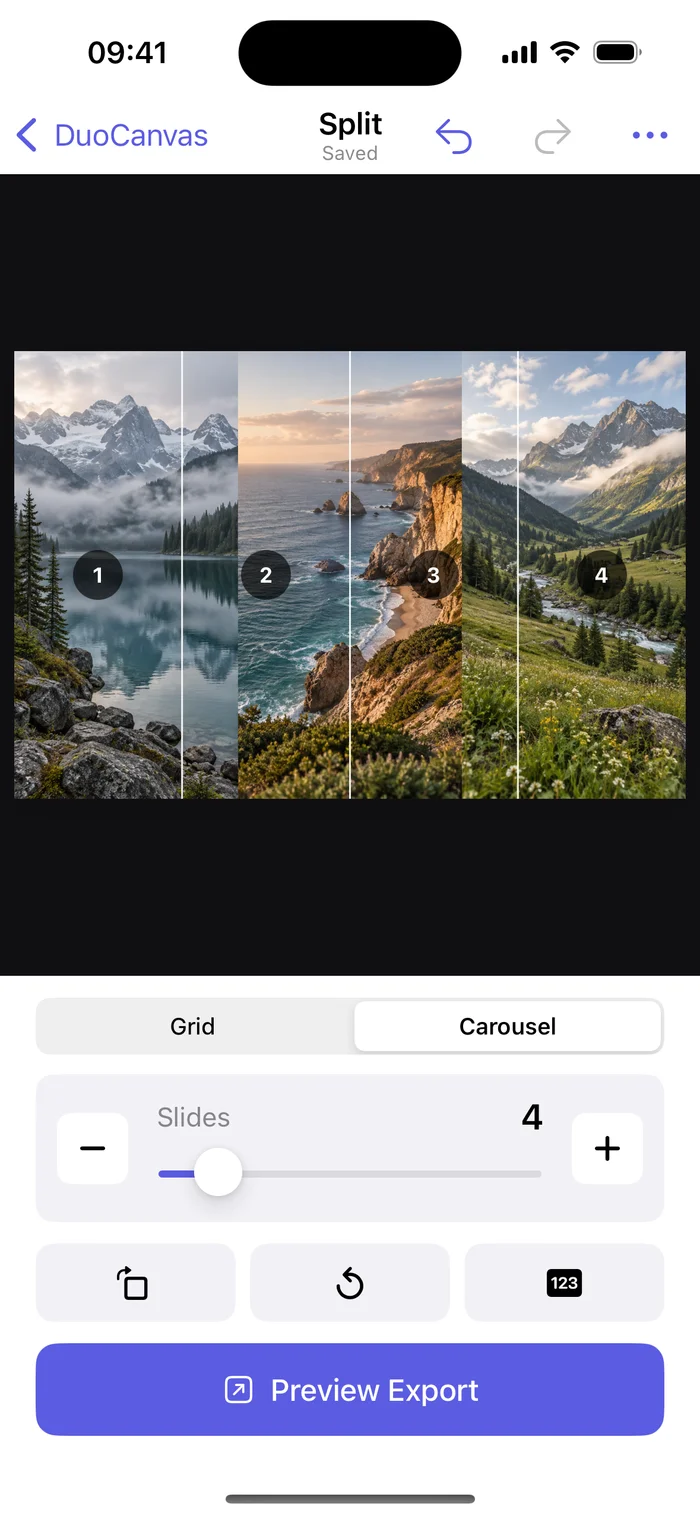
Split one wide photo into a sequence of connected slides. Keep the whole scene, from the first frame to the last.
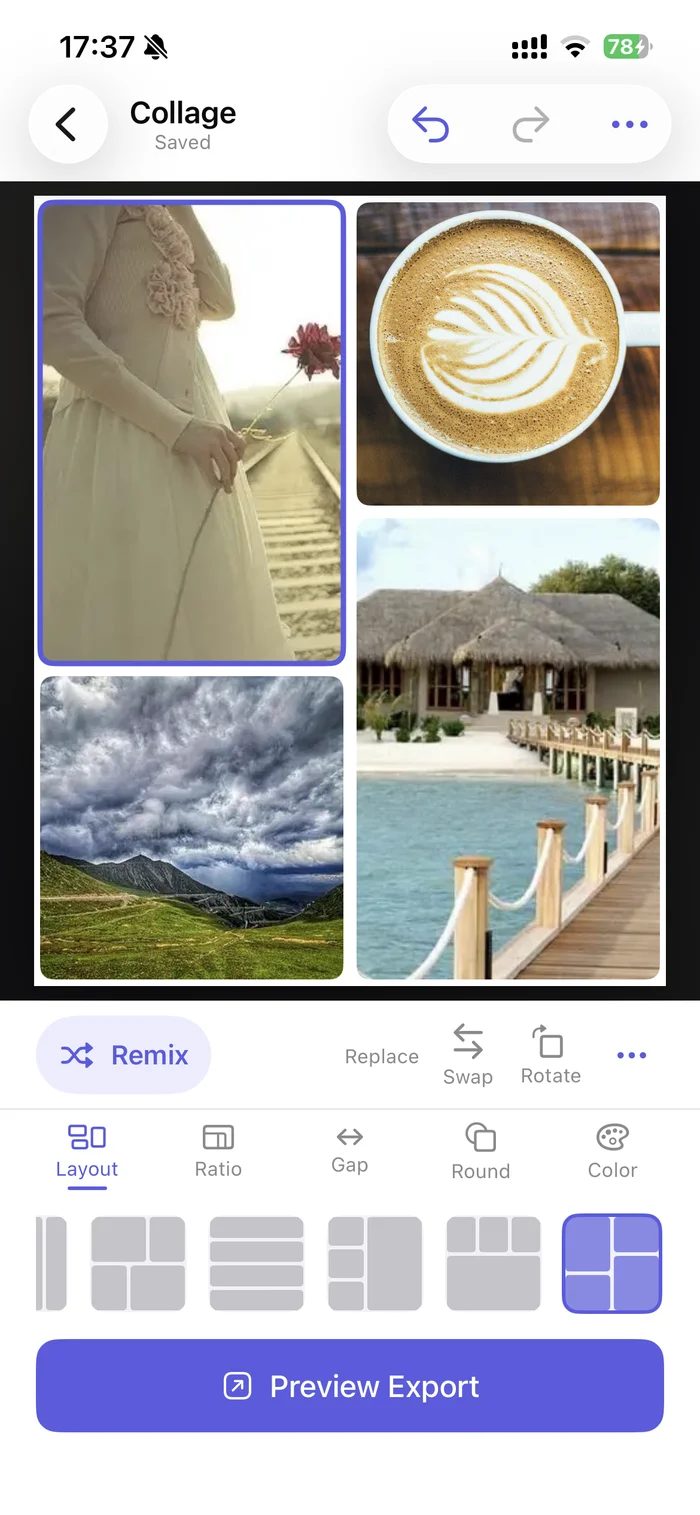
Different moments. Beautiful together.
Bring 2–9 photos into 120 layouts, from classic grids to creative shapes. Refine each frame and add your own text.
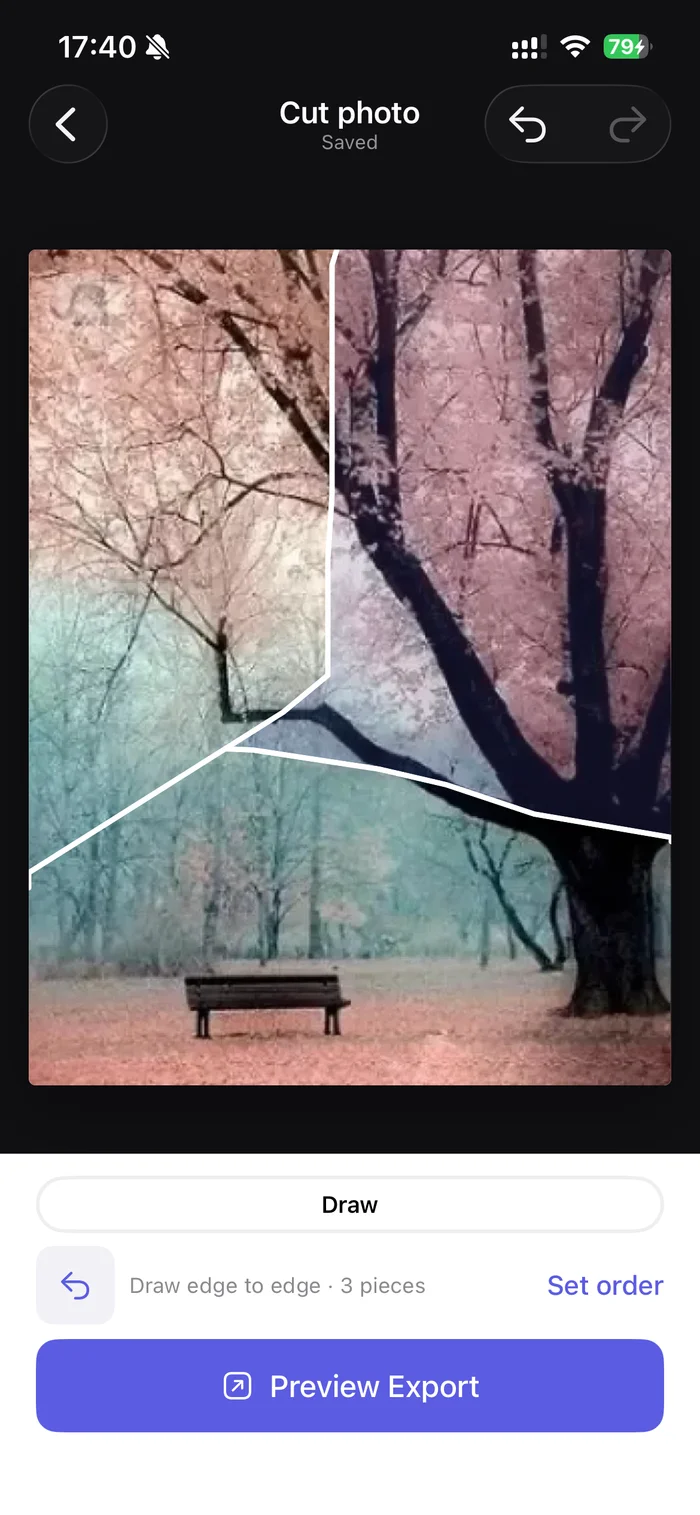
Your finger draws the line.
Draw through a photo to make your own pieces. Straight lines, sweeping curves, and shapes that are entirely yours.
A layout only you could draw.
Sketch the boundaries, then fill each shape with a photo. Build a collage around your idea, not the other way around.
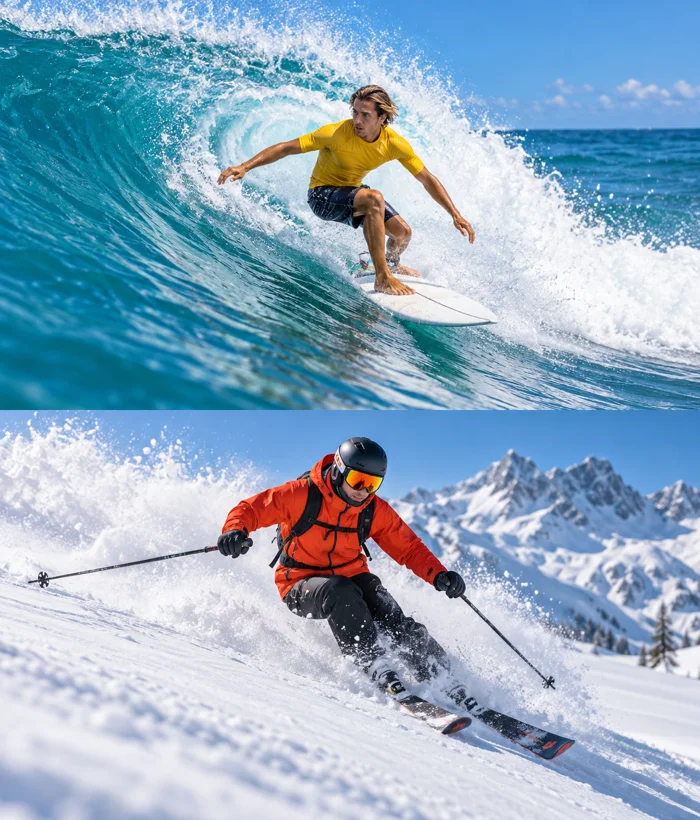
Two clips. One shared frame.
Trim two videos independently, frame them top and bottom, and preview them together. Export one MP4 with your chosen audio.
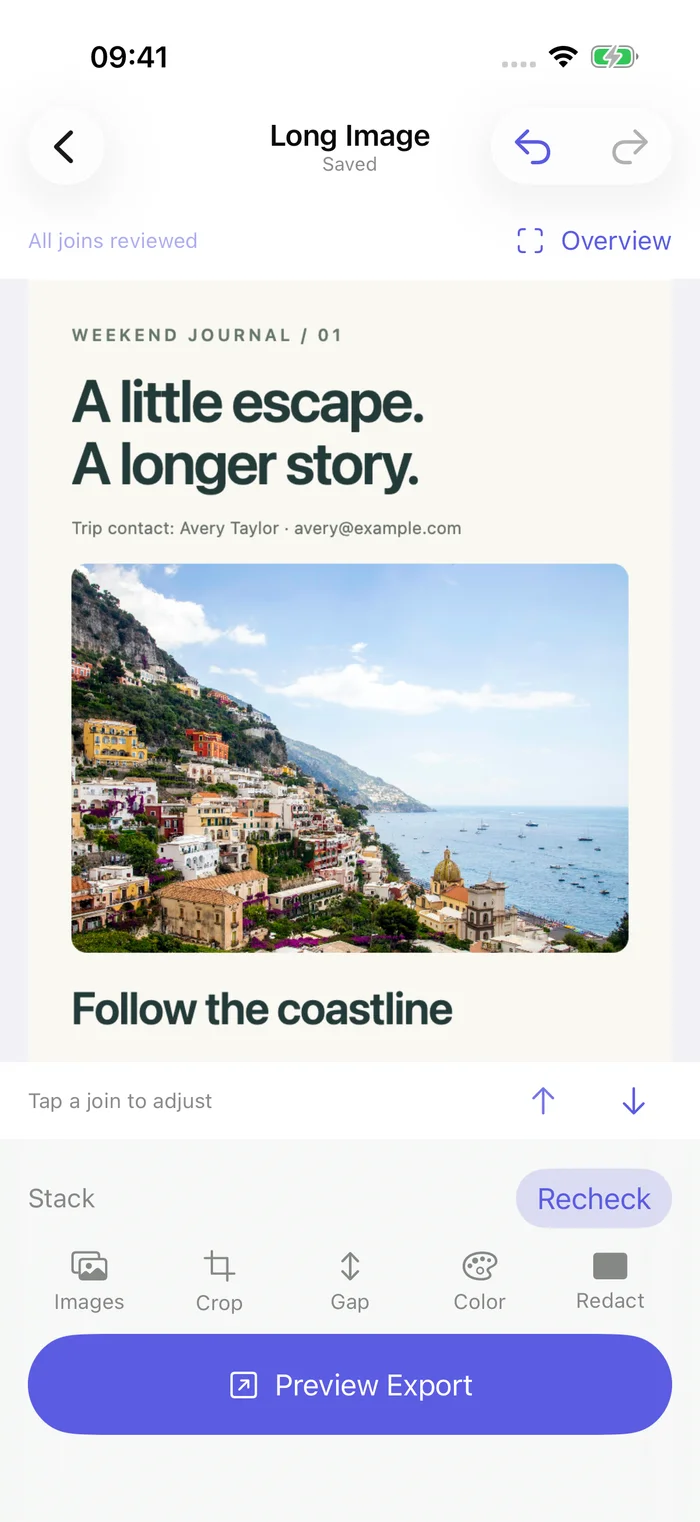
One long image. A complete story.
Stitch photos or overlapping screenshots into one long image on your iPhone. Review joins, crop individual images, and cover private details before sharing.
DUOCANVAS AT A GLANCE
One app.
Seven ways to create.
DuoCanvas is an iPhone photo splitter, collage maker, screenshot stitcher, and two-video layout app. Start with a layout or your photos, draw your own boundaries, and add a few words.
Compare DuoCanvas, Grid Post & SCRL- Photo grids
- Up to 6 × 6 tiles
- Photo carousels
- 2–20 connected slides
- Photo collages
- 2–9 photos · 120 layouts · Classic and creative shapes
- Freeform photos
- Draw cuts or a layout with up to 9 photo regions
- Long images
- 2–20 photos or screenshots · Review joins · Crop and redact
- Text tools
- Up to 3 text layers · 8 font styles · Fixed and freeform collages
- Video collages
- Independent trimming · Alignment preview · One MP4
- Languages
- 12 languages and regional variants, including Polish
- Price & privacy
- Current features are free · No account · On-device media processing
YOUR MOMENTS ARE YOURS
Create on your phone.
Keep it on your phone.
Your photos and videos are processed on your device. No account required. No ads. Optional usage analytics is off by default; your media stays on your device.
Our approach to privacyGOOD TO KNOW
A few answers.
What can I make with DuoCanvas?
Create photo grids, seamless carousels, collages with 120 layouts, freeform photo cuts and layouts, stitched long images, and top-and-bottom video collages with independent trimming. Add text to fixed and freeform photo collages. DuoCanvas requires an iPhone with iOS 17 or later.
Is DuoCanvas free? Do I need an account?
DuoCanvas is free to download. All current features, including the 120 layouts and export quality options, are free to use. No account or subscription is required. Check the App Store listing for availability in your region; this describes current pricing, not a promise about future pricing.
How is DuoCanvas different from other collage apps?
DuoCanvas combines photo splitting, 120 collage layouts, hand-drawn photo cuts and layouts, long image stitching, and two-video collages. In its freeform photo modes, you draw boundaries to divide a photo or canvas into regions, then fill those regions. Photo collages also support text. Other apps may offer filters, stickers, or publishing tools that DuoCanvas does not include.
Are my photos and videos uploaded?
No. DuoCanvas processes your selected photos and videos on your device. Your projects remain inside the app on that device. Sharing only happens when you choose a destination in the system share sheet.
Can I draw freeform layouts for videos?
Not currently. Freeform cutting and custom-shaped layouts are for photos. Video Collage places two clips in a top-and-bottom layout.
MAKE SOMETHING YOURS
Your next idea
starts with DuoCanvas.
Download on theApp StorePhoto grids. Custom cuts. Collages. Long images. Videos.